Guides
Hi3D v3.0 explained: Hitem3D's high-detail image-to-3D model
Hitem3D's Hi3D and Hi3D v3.0 explained: 2048³ resolution, 5M-face meshes, PBR, multi-view input, when it's worth the cost, and how to try it.
 Aman Porwal on LinkedIn (opens in a new tab)Founder @ Vi3W
2 min read

Quick answer
What is Hi3D?
It is the image-to-3D model family from Hitem3D, built for very dense, highly detailed meshes. Version 3.0 reconstructs at 2048³ resolution with PBR materials and face counts up to about 5 million. The earlier Hi3D model caps out at 2 million faces. Vi3W runs both.
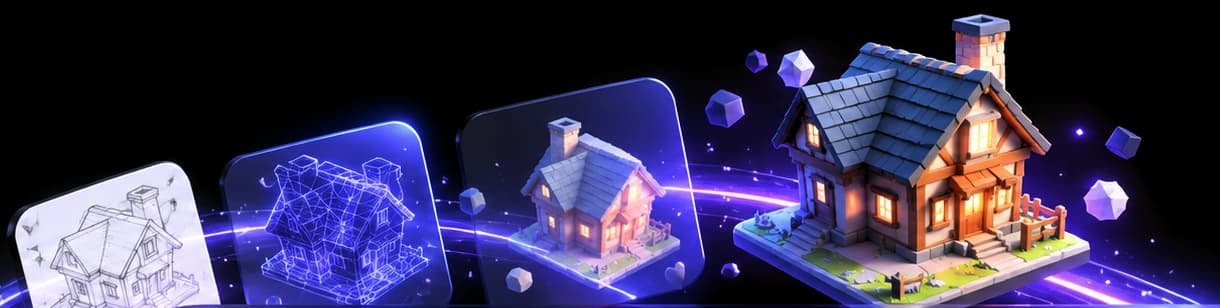
Two Hi3D models in Vi3W
Hi3D comes from Hitem3D. Vi3W runs two versions:
- Hi3D v3.0, the current top model. Vi3W has offered it since before this update as its Ultra option on the Pro plan.
- Hi3D, the earlier model, now added alongside it.
Hitem3D's models can work from a single front image, with extra views of the same object as an option.
Hi3D v3.0: built for detail
According to the fal.ai API page, v3.0 has two resolution settings, 2048quality (faster, the default) and 2048master (highest quality). Hitem3D recommends a face count of 2,000,000 for the first and 5,000,000 for the second. Textures and PBR materials are on by default, and there is a de-shading control that strips lighting baked into your photo, so the texture does not carry the original shadows.
That makes v3.0 a strong fit for:
- sculpt-level detail: carvings, ornaments, creatures, statues;
- close-up product renders where surface texture matters;
- high-resolution 3D printing;
- baking normal maps onto a lighter game mesh.
The earlier Hi3D
The original Hi3D model takes a face limit between 100,000 and 2,000,000, with PBR as an option rather than the default. It is the cheaper way to get Hitem3D's style of result when you do not need 5 million faces.
Why a 5-million-face mesh is a double-edged sword
More faces means more detail, but also a heavier file. A mesh this dense is slow in Blender, heavy in a web viewer and far too much for a game engine as it is. Plan the next step before you generate:
- For renders and printing: use it as is.
- For games, AR or the web: run Vi3W's automatic retopology to rebuild it as a light, clean mesh, and keep the dense version to bake detail.
Hi3D vs the competition
In Meshy's published geometry benchmark, Meshy compared its Meshy 7 against Hi3D 2.1. With one input view Meshy reported its own model ahead; with four views, Hi3D 2.1 scored higher on some metrics. That is a vendor's own test, but it points at Hi3D's strength: give it more than one angle. See multi-view image to 3D for how to shoot them.
Hi3D's nearest rival on raw density is Rodin Gen-2.5, which can return a 10-million-face mesh at its top tier (Rodin explained). For the bigger picture, read Meshy vs Tripo vs Rodin.
Try Hi3D in Vi3W
Log in to app.vi3w.in, upload your image and choose Hi3D or Hi3D v3.0. Hi3D v3.0 is one of the more expensive models, so Vi3W shows the XP cost before it runs. Try a cheaper model first and keep Hi3D v3.0 for the final asset.
Frequently asked questions
hi3d vs meshy
Hi3D v3.0 aims for maximum surface detail and very high face counts. Meshy 7.1 is tuned to match your image's proportions, and Meshy T2 makes light meshes. In Meshy's own four-view benchmark, Hi3D beat Meshy 7 on some metrics. Test both on your image in Vi3W.
hitem3d vs tripo
Hi3D v3.0 is a pure high-detail model. Tripo has both a detail model (v3.1) and low-poly models (P1, P2). For a dense hero asset, compare Hi3D v3.0 with Tripo 3.1. For a game prop, Tripo P2 fits better.
hitem3d for blender
Generate the model in Vi3W, export it as GLB, FBX or OBJ and import it into Blender. A 5-million-face mesh is heavy, so run Vi3W's retopology first if you plan to edit or animate it.
Last reviewed