Guides
Best AI sketch-to-3D generators in 2026: what each one does with your drawing
Vi3W, Meshy, 3D AI Studio, Rodin and TRELLIS compared on what they do with a real sketch, free tiers, exports and limits. With a tested walkthrough.
5 min read

Quick answer
What is the best AI tool to turn a sketch into a 3D model?
For a rough drawing, pick a tool that turns your lines into a shaded image before it builds the mesh, so you can fix the reading first. Vi3W does this on a built-in canvas. Meshy and 3D AI Studio accept sketches too, with more export formats and engine plugins. Self-hosted TRELLIS is free but needs a 24 GB GPU.
At a glance
| Tool | How it handles a sketch | Free tier | Exports |
|---|---|---|---|
| Vi3W | Draw on the built-in canvas or upload. Renders an image first, then builds the 3D model | 100 XP once at sign-up (about three sketch-to-3D models) | GLB, FBX, OBJ |
| Meshy | Upload a photo, sketch or concept art to Image to 3D | 100 credits a month; CC BY 4.0 licence; 10 downloads a month | FBX, OBJ, GLB, USDZ, STL, BLEND, 3MF |
| 3D AI Studio | Recommends rendering the sketch in its Image Studio first, then Image to 3D | 100 credits a month; commercial use on paid plans only | GLB, OBJ, FBX, STL, USDZ, BLEND, DAE, 3MF |
| Rodin (Hyper3D) | Accepts sketches as reference images, with optional extra views | Free trial credits | STL, FBX, OBJ, GLB, glTF, USDZ |
| TRELLIS (self-hosted) | Single image only. A raw line drawing usually needs rendering first | Free, MIT licence. Needs an NVIDIA GPU with 24 GB+ | GLB |
Why sketches are their own problem
A photo tells a 3D model almost everything: light, shadow, material, depth. A sketch tells it almost nothing. You get a few white lines on a dark canvas, and the model has to guess which side is the front, what the object is made of and how deep it goes.
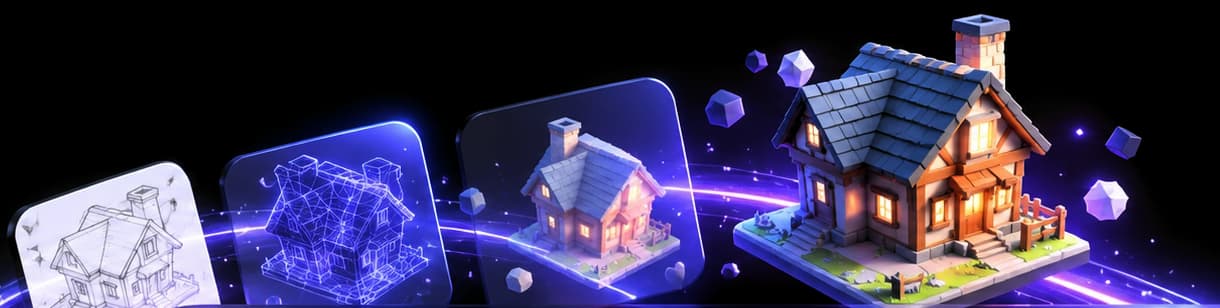
That is why the tools below split into two camps. Some feed your drawing straight into an image-to-3D model and hope. The better ones turn the drawing into a shaded, coloured picture first, show it to you, and only then build the mesh. If the picture is wrong, you redraw or reword it before you have spent anything on 3D.
What we actually tested
We ran one sketch through Vi3W end to end on November 9, 2026, and every screenshot on this page comes from that run. The drawing was made with a mouse, on purpose: about a dozen straight strokes for a box, a curved lid, two iron bands and a lock.
- Sketch to image: Nano Banana rendered the chest in 17 seconds (the time the app reported).
- Image to 3D: TRELLIS returned a textured model about 35 seconds after we pressed Generate 3D.
- The mesh: 32,210 triangles and 23,149 vertices in a 545 KB GLB, with one PBR material and a baked colour texture.
The competitor rows in the table come from each vendor's own pricing and feature pages, read on the same day. We have not run our chest through them, so treat those rows as what each vendor says, not as test results.
Vi3W: draw, check the image, then build
Vi3W is built around three tabs: Sketch, Image Gen and 3D Gen. You draw on the canvas (or upload a photo of paper), type a few words about what it is, and press Generate. The image appears beside your drawing. You can redraw, edit the image with a prompt, or regenerate before going on.
On the Image Gen tab you pick the 3D model. TRELLIS is the default and works on every plan. Paid plans add Hunyuan 3D and others for harder objects (how to choose). You can add a side view, or let Vi3W generate extra angles, when the back of the object matters. The background is removed automatically before the 3D step.
Where it is strong: you see and fix the interpretation before paying for 3D, the canvas is in the same tab, and the mesh is retopologised and exported as GLB, FBX or OBJ.
Where it is weaker: the free XP is a one-off 100, not a monthly refill. There is no STL or USDZ export, and no Unity, Unreal or Blender plugin. You download the file and import it yourself.
Meshy
Meshy's Image to 3D page says it takes "a photo, sketch, or concept art". Its strengths are breadth and integrations: it exports FBX, OBJ, GLB, USDZ, STL, BLEND and 3MF, it can remesh to quads or triangles at a polycount you set, and it has Blender, Unity and Unreal plugins on paid plans.
The pricing page gives free users 100 credits a month, under a CC BY 4.0 licence (commercial use with attribution), with 10 model downloads a month. Remesh and plugins start on paid plans.
3D AI Studio
3D AI Studio's sketch-to-3D page is unusually candid. It recommends rendering your sketch in its Image Studio first, because flat line art "usually yields less reliable meshes" when fed straight in. That is the same two-step idea Vi3W uses, run as two separate tools. It lists eight export formats and 100 free credits a month, with commercial use reserved for paid plans.
Rodin (Hyper3D)
Rodin accepts text, a single image or several views, and lists sketches among the references it takes. It advertises integrations with Blender, Unity, Unreal, Godot, Maya and 3ds Max, plus a Smart Low-Poly mode. The free option is trial credits rather than a standing free tier.
TRELLIS, run yourself
Microsoft's TRELLIS.2 is open source under MIT, takes a single image and outputs a GLB with PBR materials. The model card asks for an NVIDIA GPU with at least 24 GB of memory, tested on Linux. It is the model Vi3W runs by default, so the mesh quality is the same. Running it yourself trades the setup for no per-model cost. What is TRELLIS? covers it in detail.
How to get a good result from any of them
- Draw one object. No scenery, no labels, no arrows.
- Pick a three-quarter view. It shows the front and one side, which is twice the information of a flat front view.
- Close your shapes. Gaps in an outline get read as holes.
- Name it in a few words. "Wooden treasure chest with iron bands" does more than any amount of shading.
- Check the 2D result before the 3D step. Most bad meshes start as bad images.
How to draw a sketch for AI 3D goes deeper on line weight and views.
Honest limitations, everywhere
- The hidden side is invented. None of these tools knows what the back of your chest looks like. Add a side or back view if it matters.
- Thin parts break. Straps, antennae and chair legs come out thick, merged or missing.
- No rigging. These are static meshes. Characters still need a rig (rigging an AI character).
- Raw output is dense. Our chest came out at 32,210 triangles before retopology. That is fine for a hero prop and heavy for a background crate.
Try it on your own drawing
Open Vi3W, draw something you have been meaning to model, and check the image before you press Generate 3D. The free XP covers about three sketch-to-3D models with the default settings.
Frequently asked questions
What is the best AI tool to convert a hand-drawn sketch into a 3D model?
The best one is the tool that lets you check how it read your drawing before it spends time on the mesh. Vi3W, Meshy and 3D AI Studio all take a sketch. Vi3W adds a drawing canvas and an image step you can redo, so a bad reading costs you 10 XP instead of a whole 3D generation.
Best sketch-to-3D AI generator online.
If you want to draw and generate in the same browser tab, use Vi3W. If you need USDZ, STL or a Unity, Unreal or Blender plugin today, Meshy or Rodin cover more of that. All three run online without an install.
Last reviewed