Guides
What is previs in film, and how is it different from a storyboard or animatic?
What previs is, how it differs from storyboards, animatics, techvis and postvis, who makes it, the software used, and how to build previs assets fast.
 Aman Porwal on LinkedIn (opens in a new tab)Founder @ Vi3W
3 min read

Quick answer
What is previs?
Previs, short for previsualisation, is planning film or game cinematic shots in rough 3D before production: simple sets, stand-in characters and virtual cameras show blocking, framing, lenses and timing. It sits between storyboards and the shoot, and is followed by techvis for practical camera data and postvis after filming.
At a glance
| Stage | When | What it's for |
|---|---|---|
| Storyboard | Pre-production | Drawn frames of key moments |
| Animatic | Pre-production | Storyboard frames timed to sound |
| Pitchvis | Before greenlight | Selling the idea of a sequence |
| Previs | Pre-production | Rough 3D shots: blocking, cameras, timing |
| Techvis | Pre-production | Practical shoot data: lenses, distances, rigs |
| Stuntvis | Pre-production | Planning stunts and action (action design) |
| Postvis | After shooting | Footage combined with temporary effects |
Previs in one paragraph
Previsualisation is the rough 3D version of a sequence, made before filming. Unreal Engine's virtual production explainer describes 3D previs as the next step up from hand-drawn storyboards. Instead of drawings, you get moving cameras with real lens choices, characters that run and jump, and timing that matches the edit. Directors use it to make decisions while they're still cheap to change.
Previs vs storyboard vs animatic
- Storyboard: drawings of key frames. Fast and expressive, but no real camera or timing.
- Animatic: storyboard frames cut to sound and timing. It shows rhythm, but not space.
- Previs: a 3D scene where cameras, lenses, movement and timing are real. It shows space and rhythm.
Many productions use all three, in that order, for complex sequences.
Previs vs techvis vs postvis
- Techvis takes the creative previs and turns it into practical shooting data: camera positions, lenses, crane heights, dolly track lengths. Unreal's explainer notes that techvis often uses even more basic assets than previs, because it isn't used for creative decisions.
- Stuntvis, also called action design, combines previs and techvis for stunts.
- Postvis happens after the shoot. Filmed footage is combined with temporary effects so editors can cut before final VFX arrives, often reusing previs assets.
What previs is used for
- Action sequences, VFX-heavy shots and anything expensive to shoot twice.
- Game cinematics and trailers.
- Commercials with complex camera moves.
- Pitching a sequence before a project is greenlit (pitchvis).
What goes into a previs scene
- Sets: blocked-out environments, often simple shapes plus a few key props. See 3D blockout.
- Characters: stand-ins with basic rigs and motion.
- Vehicles and props: recognisable, but not detailed.
- Cameras: real focal lengths and sensor sizes.
- Rough lighting: enough to read time of day.
Previs assets are meant to be fast, not beautiful. The faster a team can make "good enough" assets, the more shot options it can explore.

Making previs assets faster
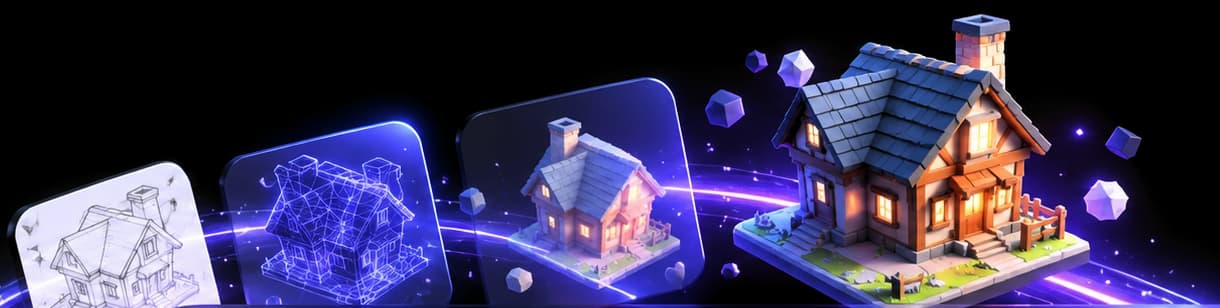
AI 3D generation suits previs because the bar is "recognisable and the right scale", not "final". Vi3W generates textured models from a text prompt, a concept sketch or a reference image:
- Props and vehicles from concept art or a description, compared across 25 image-to-3D models.
- Stand-in characters rigged with Add bones (humanoid, or It's an animal for creatures) and animated with Make it move presets like Walk, Run, Jump and Wave.
- Light meshes for real-time engines with Clean shape at 500 to 20,000 faces.
- Free downloads in FBX, GLB, OBJ and glTF for Unreal, Blender, Maya or Cinema 4D.
For which software to build previs in, see previs software. For dressing a previs set, see set dressing in 3D.
Open Vi3W to make stand-in props and characters for your next previs.
Frequently asked questions
previs vs storyboard
A storyboard is drawn key frames without real cameras or timing. Previs is a rough 3D version of the sequence with real lenses, movement and timing.
previs vs postvis
Previs plans shots before filming; postvis combines filmed footage with temporary effects after the shoot so editors can cut before final VFX, often reusing previs assets.
previs vs techvis
Previs is creative planning of shots. Techvis turns it into practical shoot data such as camera positions, lenses and rig sizes, often with even simpler assets.
Last reviewed