Guides
AI for motion design: where AI tools actually speed up a motion designer's work
Where AI helps motion designers in 2026: styleframes, 3D assets, rigged characters, retexturing and render cleanup, plus the limits and a practical workflow.
 Aman Porwal on LinkedIn (opens in a new tab)Founder @ Vi3W
3 min read

Quick answer
How can motion designers use AI?
Motion designers use AI mostly around the animation, not in place of it: image generators for moodboards and styleframes, AI 3D generators for models and props, AI upscalers and denoisers for renders, and AI audio tools for temp music and voice. Timing, composition and the final polish still come from the designer in tools like After Effects and Cinema 4D.
What motion design work is made of
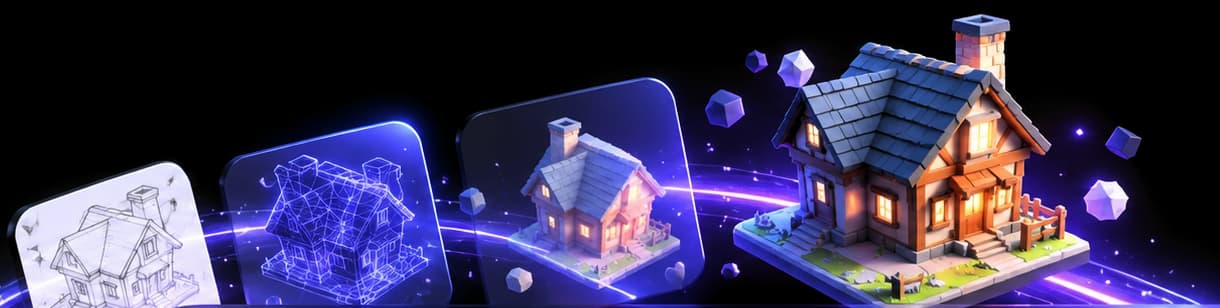
A typical motion job runs: brief, moodboard, styleframes, storyboard, assets, animation, render, compositing and delivery. AI helps a lot with some of these steps and very little with others. Knowing which is the difference between saving days and wasting them.
Where AI helps today
Moodboards and styleframes
AI image generators are fast at exploring looks: palettes, lighting moods, materials, compositions. They're good for pitching directions, but not for final frames of a branded product, which needs exact consistency.
3D assets
This is often the biggest time saver. Instead of modelling every prop, a motion designer can generate a textured 3D model from a sketch, a reference image or a description, then light and animate it properly in Cinema 4D, Blender or After Effects' 3D workflow. A real 3D model stays consistent from every angle, which image and video generators struggle with.
Characters
Rigging a character for a 10-second mascot shot used to be a job in itself. Auto-rigging and preset animation now cover simple character moments.
Retexturing and variants
Generating new materials for the same model makes colour and theme variants for social cut-downs fast.
Cleanup and finishing
AI denoisers, upscalers and rotoscoping assistants are built into many tools and save render and roto time.
Where AI doesn't help much (yet)
- Timing and easing, which is what makes motion feel good.
- Typography animation and brand systems.
- Consistency across a long piece when using image or video generators.
- Client-specific products that must be exact.
A practical AI-assisted 3D workflow
- Styleframes: explore looks with an image generator, then pick one direction.
- Assets: generate the objects in Vi3W from your styleframe, a sketch or a prompt. Compare several of the 25 image-to-3D models on the same image.
- Look: use New paint job to push the model toward your styleframe's look, with styles like Clay, Gold, Metal, Stone or Cartoon, or a reference picture.
- Characters: Add bones and Make it move give a mascot preset moves like Wave, Jump or Dance.
- Weight: Clean shape rebuilds the mesh at 500 to 20,000 faces so the viewport stays fast.
- Animate and light in Cinema 4D or Blender. See importing models into Cinema 4D.
- Composite in After Effects. See 3D formats in After Effects.

Rights and client work
Before using AI output in client work, check each tool's terms for commercial use on your plan, keep a note of which assets were AI-assisted, and tell the client if your contract or their policy requires it. Vi3W downloads in GLB, FBX, OBJ, STL, PLY and glTF are free. Check the plan terms in the app for commercial use.
Where to start
Pick the slowest step in your last project. For most 3D motion designers, it's modelling objects that only appear for a few seconds. Try generating those first.
Open Vi3W and generate the props for your next motion piece.
Frequently asked questions
how to use ai for motion design
Use AI around the animation: image generators for moodboards and styleframes, AI 3D generators for models and props, auto-rigging for simple characters, and AI denoisers and upscalers for finishing.
ai tools for motion design
Image generators for styleframes, AI 3D generators such as Vi3W for assets, rigging and retexturing, and the AI features built into After Effects, Cinema 4D and renderers.
what software do motion designers use
After Effects for compositing and 2D motion, Cinema 4D or Blender for 3D, with renderers such as Redshift or Octane, plus AI tools for assets and cleanup.
Last reviewed