Guides
3D product animation: how studios make product videos, step by step
How 3D product animation videos are made: the model, materials, lighting, shots like exploded views and turntables, rendering, software and cost.
 Aman Porwal on LinkedIn (opens in a new tab)Founder @ Vi3W
3 min read

Quick answer
What is 3D product animation?
3D product animation is a video of a product made entirely in 3D software instead of filmed: a model of the product is textured, lit and animated through shots like turntables, exploded views and feature call-outs, then rendered. Brands use it when the product isn't built yet, when filming is impractical, or to show what a camera can't.
Why brands use 3D instead of a camera
Consumer electronics launches (headphones, phones, laptops, wearables) lean heavily on 3D product animation, for reasons a camera can't match:
- The product may not exist yet. Launch films are often made before final units ship.
- You can show the inside. Exploded views, internal components and cutaways.
- Perfect control. Every reflection, every colourway and every angle can be changed without a reshoot.
- One model, many outputs. The same asset makes the launch film, social cut-downs, web 3D viewers and store images.
The pipeline
1. The product model
Everything depends on an accurate model. Sources, from best to worst:
- CAD from the engineering team. Accurate, but usually needs conversion and cleanup for rendering.
- A model built from reference. Photos, orthographic drawings and measurements, modelled by a hard-surface artist.
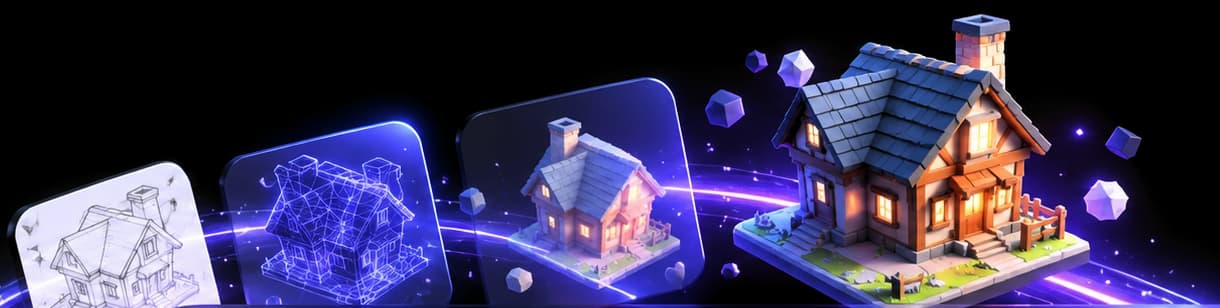
- A generated draft. An image-to-3D tool turns product photos into a textured mesh quickly. It's good for previs, storyboards and background products, and usually needs an artist's refinement for hero close-ups.
2. Materials
Product animation lives on materials: anodised aluminium, soft-touch plastic, glass, leather, fabric mesh. Each needs a careful PBR setup and real-world reference.
3. Lighting
Studio product lighting: soft key lights, rim lights that trace edges, and controlled reflections on glossy surfaces. Many artists light with HDRIs plus area lights.
4. Animation
The classic shot list:
- Hero reveal: the product emerges from darkness or light.
- Turntable: a slow 360° spin.
- Exploded view: parts separate to show construction.
- Feature call-outs: close-ups on a button, port or hinge.
- Colourway cycle: the same shot in every finish.
- In-context shot: the product in a stylised environment.
5. Rendering and edit
Shots are rendered (Blender Cycles, Redshift, Octane, KeyShot or Unreal Engine are common), then edited with music, type and sound design.

Which software
- Blender: free, with Cycles and EEVEE. See 3D product animation in Blender.
- Cinema 4D with Redshift or Octane: the motion-design standard. See importing models into Cinema 4D.
- KeyShot: fast, material-focused product rendering with animation features. KeyShot imports FBX, GLB/glTF and OBJ.
- Unreal Engine: real-time and path-traced rendering. See product rendering in Unreal Engine.
How AI generation fits
The slowest step for many freelancers and agencies is the first one: getting a model when there's no CAD. Vi3W turns product photos, a sketch or a text description into a textured 3D model, and lets you run the same photo through several of the 25 image-to-3D models to pick the most accurate. Download GLB, FBX or OBJ for free, and open it in Blender, Cinema 4D, KeyShot or Unreal.
Be realistic about where drafts work. They're strong for storyboards, animatics, client previews, background products and stylised spots. Hero close-ups of a real product usually need a hard-surface artist to rebuild precise edges, logos and small details. New paint job is useful for colourway exploration on the same shape, and Clean shape rebuilds the mesh at 500 to 20,000 faces when you need a lighter model for real-time previews.
What it costs
Published guides quote 3D product animation per finished minute, from about $1,000 to $5,000 for freelancers to $8,000 to $25,000 for established studios. Scope moves the price more than length. Our 3D product animation cost guide breaks down the drivers.
Open Vi3W to turn product photos into a draft model for your storyboard.
Frequently asked questions
how to make 3d product animation
Get an accurate product model, set up realistic materials and studio lighting, animate shots like a reveal, turntable and exploded view, render, then edit with music and type.
3d product animation in blender
Blender covers the whole pipeline for free: import the model, build PBR materials, light with an HDRI and area lights, keyframe the shots, and render with Cycles or EEVEE.
3d product animation with ai
AI helps most with the model step: image-to-3D turns product photos into a draft for storyboards and stylised shots. Hero close-ups of a real product usually still need an artist.
Last reviewed