
Geometry
Level of detail (LOD)
A rendering optimisation that swaps a model for simpler versions as it gets smaller on screen.
- #geometry
- #modeling
- #retopology
- #quad-topology
Quick answer
What is level of detail (LOD) in 3D?
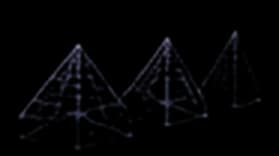
A rendering optimisation that swaps a model for simpler versions as it gets smaller on screen. The full-detail mesh, LOD0, is drawn up close; lighter versions with fewer polygons and simpler materials take over as the camera moves away. Players rarely notice the switch, but the GPU draws far less geometry per frame.
How an LOD chain works
An LOD chain is a set of versions of one model, numbered from most to least detailed. LOD0 is the full asset. LOD1 might carry half the polygons, LOD2 a quarter, and the last level can be a handful of faces or even a flat billboard. The engine measures how large the object is on screen each frame and draws the level that matches.
Engines switch on screen size rather than raw distance, because size is what determines whether detail is visible. A building at 100 metres still fills the view; a coin at 100 metres is a single pixel. Unity's LOD Group uses the object's screen-relative height, and Godot's mesh LOD uses a screen-space metric that accounts for field of view and resolution.
Creating LOD levels
There are three common routes:
- By hand. A modeller builds each level, often by removing edge loops from a clean quad mesh. It takes longest and gives the best silhouettes, so it is usually kept for hero assets.
- Decimation. A tool such as Blender's Decimate modifier collapses edges until a target polygon count is reached. It is fast, but it ignores edge flow, so it is used for lower levels where nobody sees the topology.
- Automatically in the engine. Godot 4 generates LODs on import. Unity builds a LOD Group from meshes named
_LOD0,_LOD1and so on in one FBX file. Unreal Engine's Nanite renders supported meshes at an automatically adjusted detail level with no manual LOD setup.
Good LODs start from a good LOD0. A dense, irregular mesh decimates into lumpy lower levels, which is one reason retopology comes first.
Avoiding visible popping
The switch between levels is the weak point. If LOD1 changes the silhouette, players see the model "pop". Three habits keep transitions quiet:
- Preserve the silhouette and remove interior detail first. Outlines are what the eye tracks.
- Keep UV seams and material boundaries in the same places across levels, so textures do not shift.
- Use the engine's fade or cross-dither option where it exists, so one level blends into the next over a few frames.
When LODs matter
LODs pay off in open scenes with many repeated assets: forests, cities, crowds, racing tracks. They matter much less in small interiors where every object stays close to the camera. If performance is poor and LODs are already in place, the cost is usually elsewhere: draw calls, shadows, transparency or scripts. That is why profiling comes before optimising.
Exports also need to carry the chain: FBX can hold several LOD meshes in one file, which is how Unity's automatic LOD Group setup works. See 3D file formats for what each format can store.
How the main engines handle LOD
| Engine | How LODs are created | How a level is chosen |
|---|---|---|
| Unity | Import meshes named _LOD0, _LOD1… in one FBX, or set up a LOD Group by hand (up to eight levels) | Screen-relative height of the object |
| Unreal Engine | Imported LOD meshes, or the Static Mesh Editor's LOD settings; Nanite meshes handle LOD automatically | Screen size of the mesh |
| Godot 4 | Generated automatically on import by mesh decimation | Screen-space metric, tunable with LOD bias |
Level of detail (LOD) in Vi3W
Vi3W's automatic retopology turns a dense generated mesh into a lighter one. Treat that export as your LOD0 and build the lower levels from it, with Blender's Decimate modifier or your engine's own LOD tools. The text-to-3D page covers export formats for Unity, Unreal Engine and Godot.
Frequently asked questions
Should i make objects invisible instead of lod system in game engine for better performance?
Use both, because they solve different problems. Hiding objects that cannot be seen (culling) removes their cost entirely, but it only works for things that really are off screen or blocked. LOD handles objects that are visible but far away, which you cannot hide without them popping out of view. Most engines do frustum culling automatically, so LOD is the part you set up.
Why is my game slow even though I did the LOD system?
Because polygon count is only one cost. Draw calls (one per object and material), overdraw from layered transparency, real-time shadows, heavy post-processing and game scripts can each be the bottleneck instead. Profile before optimising: the engine's profiler shows whether frames are limited by the CPU or the GPU, and LOD only helps when vertex processing is the limit.
Is there a way to access lod level of MeshInstance3D?
Godot picks automatic LODs inside the renderer, using a screen-space metric that accounts for field of view and resolution, so rather than reading the level back, compute your own tiers. For gameplay logic such as NPC update rates, use distance to the camera or the object's on-screen size. That also keeps game logic independent of rendering settings like lod_bias.
Related terms
- RetopologyRetopology is the process of rebuilding a 3D model's surface with a new, cleaner polygon layout while keeping its shape.
- Quad topologyA way of building a polygon mesh almost entirely from four-sided faces arranged in continuous rows called edge loops.
- 3D file formatsStandard ways of storing a 3D model in a file so different programs can exchange it.
Sources & further reading
From text to 3D
Create 3D models with AI in seconds.
Turn ideas into game-ready 3D models from text, a sketch or an image. No complex software — it all runs in your browser.

Last reviewed