Guides
How to retexture a 3D model without remodelling it
How to retexture a 3D model for skins, variants and seasonal events: manual texturing, material swaps, and AI retexturing from a prompt or picture.
 Aman Porwal on LinkedIn (opens in a new tab)Founder @ Vi3W
3 min read

Quick answer
How do you retexture a 3D model?
Keep the mesh and its UV layout, and replace the texture maps: base colour, roughness, metalness and normal. You can repaint them in a texturing app, swap in new materials, or generate new PBR textures from a text prompt or reference image with an AI retexturing tool. The shape, rig and animations stay the same.
What retexturing is
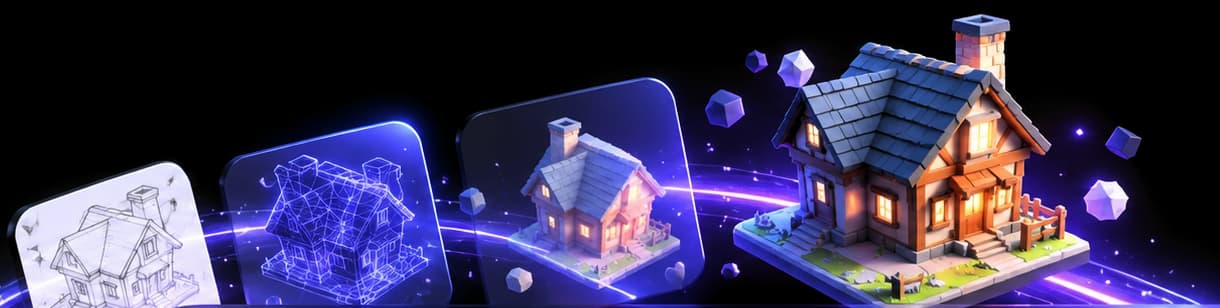
Retexturing means giving a model a new surface while keeping its geometry. The mesh, its UVs, its rig and its animations stay exactly the same, and only the texture maps change. In a PBR workflow those maps are usually base colour (albedo), roughness, metalness and a normal map, sometimes with ambient occlusion and emission.
Because the shape doesn't change, a retexture is the cheapest way to make variants: skins, team colours, upgrade tiers, seasonal versions and A/B-test versions of ad creatives.
Three ways to retexture
1. Repaint in a texturing app
Open the model in a 3D painting or texturing tool, paint over the existing maps or start fresh on the same UVs, and export new maps. You get full control, and it takes an artist's time per variant.
2. Swap materials
If the model uses separate material slots (metal, cloth, leather), assigning different materials in your engine or Blender gives quick variants without new textures. This only works if the model was built with clean material slots, and generated meshes often have one baked texture instead.
3. Generate new textures with AI
Describe the look, or give a reference picture, and a retexturing tool generates new maps for the same mesh. It's fast enough to try ten looks and keep two.
Retexturing in Vi3W
Vi3W's New paint job ("Give it a new look. Same shape.") retextures a model by text or by picture:
- Generate the model in Vi3W, or open one you made earlier, on the 3D screen.
- Choose New paint job.
- Describe the new look in words, or give a reference picture. Paint styles include Cartoon, Clay, Gold, Metal, Stone and Wood.
- Choose texture resolution: 2K, 4K or 8K PBR.
- Compare it with the original, then download GLB, FBX, OBJ or glTF for free.
Because the shape is unchanged, a rig added with Add bones and moves from Make it move still fit. The cost of each run is shown in XP before you start.

Where retexturing pays off
- Live ops events: Halloween and winter versions of existing items. See live ops in games.
- Upgrade tiers: wood, iron and gold versions of one weapon, a common pattern in hybrid-casual games.
- Ad creative tests: the same hero in several themes. See creative testing.
- Product colourways: one product model in every colour you sell, for e-commerce and ads.
Tips for good results
- Start from clean UVs. Retexturing reuses the UV layout, so stretched or overlapping UVs show up in every variant. Rebuilding a messy generated mesh with Clean shape (500 to 20,000 faces, textures baked on) first can help.
- Match the texture size to the use. 8K is for close-up renders. Mobile games usually ship far smaller textures, so downscale in your engine.
- Keep a style reference. For skins that must match the game, give the same reference picture each time.
- Check in the engine. Lighting changes how metal and roughness read. Judge variants in the game's lighting, not only in a viewer.
Open Vi3W and give one of your models a new paint job.
Frequently asked questions
how to retexture 3d models
Keep the mesh and UVs and replace the texture maps: repaint them in a texturing app, swap materials, or generate new PBR textures from a prompt or reference picture with an AI retexturing tool.
what is 3d texturing
Creating the surface maps that give a 3D model colour and material: base colour, roughness, metalness and normal maps in a PBR workflow. Retexturing replaces those maps without changing the shape.
Last reviewed