Guides
An AI 3D model generator without Blender: which jobs you can skip, and which you can't
Make 3D models with AI and skip Blender for modelling, UVs and retopology. What still needs Blender, and a tested browser-to-engine workflow.
3 min read

Quick answer
Can you make 3D models with AI without using Blender?
Yes, for static objects. A browser generator such as Vi3W takes a sketch, image or prompt and returns a textured, retopologised mesh you can drop straight into Unity, Unreal, Godot or a web page as FBX, GLB or OBJ. You still need Blender, or similar, for rigging, scenes and precise edits.
At a glance
| Job | In Blender | In an AI generator like Vi3W |
|---|---|---|
| Blocking out the shape | Modelling by hand, minutes to hours | From a sketch, image or prompt, under two minutes in our tests |
| UVs and texture | Unwrap, paint or bake | Generated with the mesh (one PBR material, baked colour) |
| Clean topology | Manual retopology | Automatic retopology before export |
| Exact dimensions and precise edits | Yes, to the millimetre | No. Shapes are interpreted, not measured |
| Rigging and animation | Yes | No. Static meshes only |
| Scenes and environments | Yes | No. One object per generation |
What Blender was doing for you
When people say "I can't do 3D because I don't know Blender", they mean a chain of separate skills: modelling the shape, unwrapping UVs, painting or baking textures, retopologising for a game, and exporting with the right axes and scale. Each one is a weekend of tutorials.
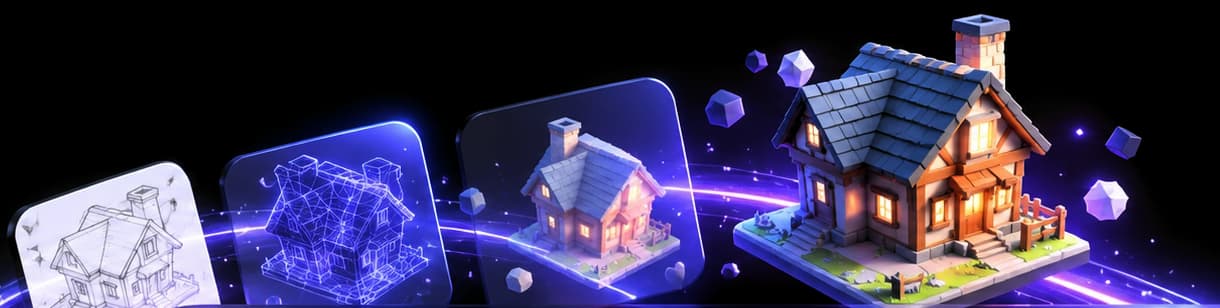
An AI generator does most of that chain in one step. Here is what it replaced in a real run, and what it didn't.
The no-Blender route, tested
On November 9, 2026, we drew a treasure chest with a mouse on Vi3W's canvas and typed "A wooden treasure chest with iron bands and a lock". Nothing was installed. Everything happened in one Chrome tab.
- Shape and look. Nano Banana rendered the drawing as a shaded image in 17 seconds.
- Mesh, UVs and texture. TRELLIS built a textured 3D model about 35 seconds later: 32,210 triangles, one PBR material, a baked colour texture and UVs already laid out.
- Topology. Vi3W retopologised the mesh before export.
- Export. FBX for Unity and Unreal, GLB for Godot and the web, OBJ for anything else.
That is about a minute of generation for a job that would be an afternoon of modelling and texturing by hand. The trade is control: you get a treasure chest, interpreted from your drawing, not one built to exact measurements.
Checking a model without Blender
You don't need a 3D package to judge the result. Vi3W's 3D Gen tab has the four views a modeller would use:
- Solid to judge the shape without the texture flattering it.
- Wireframe to see the topology.
- Normal to spot bumps and seams.
- Textured with studio, sunset, city and other lighting setups.
For files you get elsewhere, view 3D files online lists free viewers.
Straight into the engine
Skipping Blender works best when the next stop is an engine that imports the format directly:
- Unity reads FBX natively. Unity's own manual calls FBX its internal importing chain (Unity 3D formats).
- Unreal Engine 5 imports both FBX and glTF/GLB through the Content Browser (Unreal glTF import).
- Godot 4 recommends glTF 2.0 and reads FBX through ufbx from 4.3 (Godot formats).
- The web (three.js,
<model-viewer>) takes GLB.
The one thing to fix in the engine: scale. Our models came out about one unit across. Set real-world size on import.
When you still want Blender
Be honest with yourself about these. AI won't help:
- The model must move. Rig it in Blender or use Mixamo (rigging AI characters).
- It must fit exactly. A part that bolts onto something needs CAD or manual modelling.
- You need to change one detail. Regenerating changes everything a little. Moving one vertex is a Blender job.
- You are building a scene. Generators make objects. Layout, lighting and composition happen elsewhere.
- It's for printing. You may need to close holes and check wall thickness (making a model watertight).
Many people end up using both: AI for the first 80 percent, Blender for the last 20. How long does Blender take to learn? is useful if you're deciding whether to learn it at all.
Other ways to skip Blender
Not every job needs AI. Tinkercad is better for simple printable parts, Blockbench for blocky art, SketchUp for buildings and Nomad Sculpt for sculpting on a tablet. The trade-offs are in how to make 3D models without Blender.
Try it
Open Vi3W in your browser and turn one thing on your list into a model without opening Blender. The free XP covers about three.
Frequently asked questions
Create 3D assets without learning Blender.
Generate the asset in a browser tool and import the file directly into your engine. In Vi3W that is three steps: describe or draw it, check the image, generate the 3D model, then download FBX or GLB.
Easy alternative to Blender for creating 3D models.
For props and objects, an AI generator is the quickest route. For simple printable shapes, Tinkercad. For blocky art, Blockbench. For buildings, SketchUp. Making 3D models without Blender compares them.
AI 3D model generator for Blender.
If you do use Blender, import Vi3W's OBJ, FBX or GLB with File › Import. There is no Vi3W add-on for Blender yet, so it is a download and import, the same as any other asset.
Last reviewed